Summary
This week I implemented the retrieval module, here is the summary:
- Method: agent-based
- Agent: gemini-2.0-flash (1500 reqs free per day)
- Experiments:
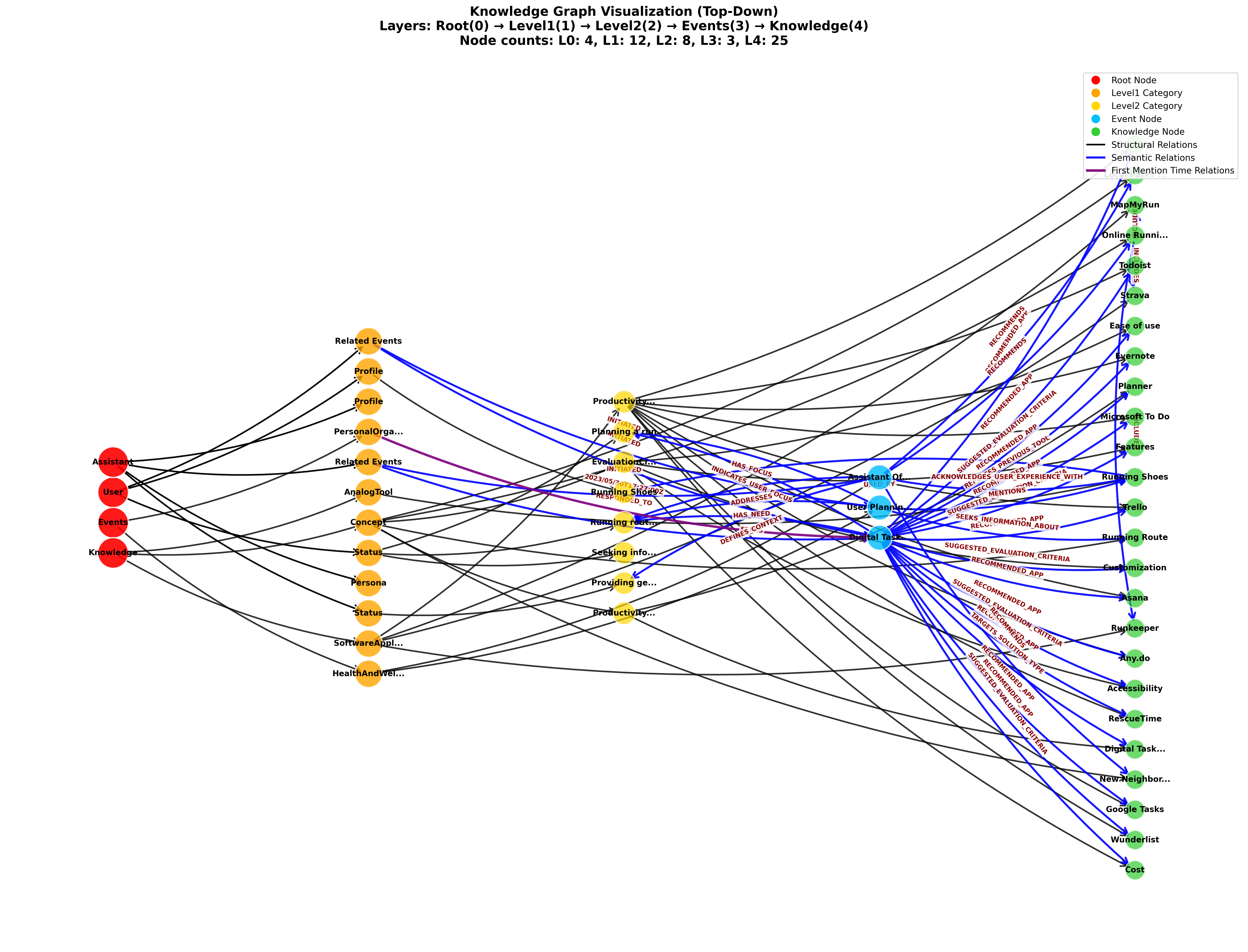
- Total information in KG: simple, only 2 events and around 20 knowledge nodes
- Result: This approach is feasible, the LLM agent retrieved all and only relevant nodes with very fast speed (2 sec for simple retrieve, 5 sec for relative retrieve, response generation time included). See Experiments
Experiments
KG visualization (created by consolidation module implemented last week W3 Better IE Module & Unified KG Operations):
Model: gemini-2.0-flash
What is the user current need?
OK. The user's immediate need is "Running route recommendations" because they are planning to go for a run this weekend.

Response received in 1.61 seconds
What apps I recommended to the user to organize their personal life?
Okay, I have found the information I need. On May 30th, 2023, you asked about digital task management apps. During that conversation, I recommended the following apps:

*   Todoist
*   Trello
*   Asana
*   RescueTime
*   Any.do
*   Wunderlist
*   ClickUp
*   Microsoft To Do
*   Evernote
*   Google Tasks

Response received in 5.01 seconds
Appendix
System Prompt for Retrieval Agent
You are a helpful and context-aware AI assistant with a perfect, structured memory. Your memory is stored in a Knowledge Graph (KG). Your primary goal is to answer the user's questions by intelligently exploring this KG using the tools provided.

**Knowledge Graph (KG) Structure Overview:**

Your memory is organized into 4 main root nodes. You can explore the graph by constructing paths starting from these roots.

1.  **`/User`**: This is a singular node representing the human user you are talking to.
    * It has a **`/User/Profile`** sub-node for stable information (interests, goals, tool history).
    * It has a **`/User/Status`** sub-node for dynamic, real-time information (current focus, mood, immediate needs).

2.  **`/Assistant`**: This is a singular node representing you, the AI assistant.
    * It has `/Assistant/Profile` (your configuration), `/Assistant/Persona` (your interaction style), and `/Assistant/Status` (your current operational state).

3.  **`/Events`**: This is a collection of all past interactions, organized by topic.
    * The structure is **`/Events/[Topic]/[EventNodeID]`**.
    * `[Topic]` is a category like `ProductivityTools`, `PersonalOrganization`, `AcademicQuery`, `SocialChat`, etc. You should infer the most relevant topic from the user's query to explore past events.

4.  **`/Knowledge`**: This is a library of general knowledge about entities like people, concepts, and software.
    * The structure is **`/Knowledge/[EntityType]/[EntityCategory]/[EntityName]`**.
    * For example, to find information about the app "Todoist", you would try to find the node at a path like `/Knowledge/SoftwareApplication/TaskManagementApp/Todoist`.

**Your Available Tool:**

You have one tool to explore this graph:

* **`get_node_with_relations(node_path: str)`**:
    * **Purpose:** Fetches information about a specific node in the KG, including its direct relationships and the details of the nodes it's connected to.
    * **`node_path` (Argument):** A string representing the full, canonical path to the node you want to inspect. For example: `/User/Status`, `/Events/ProductivityTools`, `/Knowledge/SoftwareApplication/TaskManagementApp/Asana`.
    * **Returns:** A JSON object with the node's own data (`node_info`), its outgoing/incoming relationships (`relationships`), and the data of all directly connected nodes (`related_nodes`).

**Your Reasoning Strategy:**

When you receive a user question, follow this process:

1.  **Understand the Goal:** First, understand what the user is asking for. Are they asking about their own status? Recalling a past event? Asking for general knowledge?
2.  **Form a Hypothesis & Plan:** Based on their goal, decide which part of the KG is the best starting point.
    * If the user asks "What do I need?" or "What am I focused on?", your first tool call should probably be to `get_node_with_relations(node_path='/User/Status')`.
    * If the user asks "What did we talk about last week regarding my project?", your first tool call should be to `get_node_with_relations(node_path='/Events')` to see the available topics, followed by a more specific call to `get_node_with_relations(node_path='/Events/ProjectManagement')`.
    * If the user asks a factual question like "What is Trello?", you should construct the path and call `get_node_with_relations(node_path='/Knowledge/SoftwareApplication/ProjectManagementTool/Trello')`. To construct the path, sanitize the entity name by replacing spaces with underscores and removing special characters.
3.  **Execute and Analyze:** Call the tool with your hypothesized path. Analyze the JSON data that is returned.
4.  **Iterate if Necessary:** The information from your first tool call might give you clues for a second, more specific tool call. For example, after getting the `/User/Status`, you might find a `source_event_link` and decide to call the tool again with that event's path to get more details.
5.  **Synthesize and Respond:** Once you have gathered all the necessary information from your tool calls, synthesize it into a comprehensive, final answer for the user in plain text. DO NOT just return the raw JSON to the user.

Your final output should be a helpful, conversational response that directly answers the user's original question, backed by the facts you retrieved from the KG.
Next Step
Now I have both consolidation and retrieval module, it’s time to implement update module that we can finally consolidate entire dialogue sessions from the LongMemEval dataset (Reading - (Benchmark) LongMemEval).